The destination is decided. No preparation is needed. Reporting is automated.
Who did you meet at the site, what did you discuss, and how long did you stay? Based on the “ log ” datathat UPWARD has saved in Salesforce, Agentforce generates recommendations for your next visit, preparation, and proposal. No major changes to your existing settings are required.
We gather logfrom the field and provide the field with guidance on the next steps.
Even if we implement Salesforce, our sales team won't change.
The problem usually lies at the data input stage.
Customer Targeting
The data at doesn't tell me who I should meet.
→ The places I visit are determined by intuition and personal connections
Proposal Close Rate
Nothing is recorded about what was discussed, and proposals aren't piling up.
→ Winning strategies stop at the individual level
business streamlining
I'm spending a lot of time entering data for the report at
→ Field staff skip data entry, resulting in missing data
Collect on-site ` log` and have the agent run them
UPWARD collects " log" from the field and writes them to Salesforce. Agentforce reads that data and returns the next action.
Field Sales
Visits, Business Meetings, Interviews, etc. Daily Sales Activities
UPWARD
Automatically logfield activities and post them to Salesforce
Salesforce
Aggregate and store data on customers, sales opportunities, and activities at
Agentforce
Priority Customers · Pre-Visit Summary Generate Next Action
Next Steps for the Field
The answers don't just end with the report; they are translated back into on-site schedules and tasks.
From selecting client visits to writing reports. Put it to use in four sales scenarios
Who to meet, what to talk about, what to do next. We turn on-site insights loginto the next course of action.
01 / Targeting
Where we'll be visiting this week is is determined by the data
Usage Examples | Watch the Video to See the Process
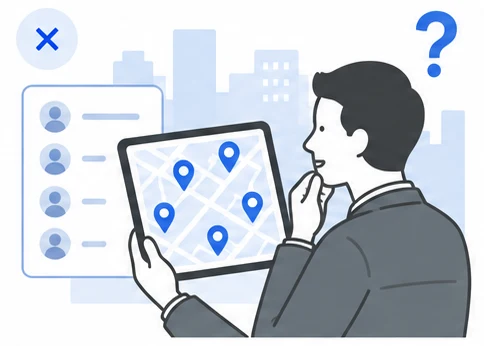
Based on visit history, time spent on-site, sales meeting history, and geographical proximity, the AI scheduler selects the customers you should prioritize right now . Instead of a list of scores, you’ll see an UPWARD map. The map displays your priority customers, helping you plan your visits.
→ The process of selecting places to visit shifts from intuition to evidence-based decision-making
Data to Be Utilized
Stay log Sales Meeting History Customer Mapping Routes and Travel Time
Up to now
Which places to visit depends on intuition and how long you've known the people there
Use for decision-making log
45-day gap × No visits to neighboring areas × Stalled sales negotiations
From now on
This week's visit schedule appears on the map
02 / Preparing for the Visit
Rather than just listing key points, the issues emerge
Usage Examples | Watch the Video to See the Process
What was discussed last time? Who raised what concerns? How far did the proposals go? UPWARD organizes conversations into “Requests/Issues,” “Questions/Concerns,” and “Decisions.” Agentforce reviews this information to determine what needs to be confirmed this time and what should be presented next.
→ The time spent preparing translates into the quality of the business meeting
Data to Be Utilized
AI Meeting Minutes Business Cards Stay log AI Phone
Up to now
The preparation ends with a list of key points
Use for decision-making log
Concerns about the meeting minutes × The approver's business card × 28-minute visit
From now on
This raises some points that need to be addressed.
03 / Proposal
Based on the on-site log, enabling you to make well-founded proposals
Usage Examples | Watch the Video to See the Process
Combine the customer’s request to “replace” the equipment with the installation year of the equipment as determined on-site. When conversation and equipment information align, the rationale for proposing an upgrade becomes more concrete. Agentforce organizes the key points and rationale for the proposal based on “ log.”
→ Proposals will no longer depend on the experience of the person in charge
Data to Be Utilized
AI Scan AI Meeting Minutes Year Installed / Years in Operation
Up to now
Proposals Become Merely Impressionistic
Use for decision-making log
"I want to replace it" comment × Installed in 2014
From now on
A well-reasoned proposal for an update is put forward
04 / Report
After a business meeting, no important logremains
Usage Examples | Watch the Video to See the Process
logBased on the conversation, Agentforce automatically updates the details of the business negotiation, identifies the next point of contact, assigns tasks, and determines the next steps . There is no need for manual transcription, so the field team can focus on the conversation.
→ The reporting work gives way to preparations for the next proposal
Data to Be Utilized
AI Meeting Minutes AI Phone Stay log
Up to now
There is still data entry work to be done for the report
Use for decision-making log
Conversation Summary × Duration × Call log
From now on
Deal updates and tasks are triggered automatically
* The video is for illustrative purposes only. The scope of integration with Agentforce and the approval workflow for automated execution will be designed on a case-by-case basis. Depending on the use case, custom design and implementation may be required.
UPWARD's Field Data Makes AI Smarter
The deal stage and amount are recorded in every instance of Salesforce. The following eight items cannot be obtained unless you're out in the field.
What UPWARD Writes to Salesforce
Automatic detection of when, where, and how long a person stayed ( log) (patented technology)
AI Scan: What We Saw on Site —Capture and Read Nameplates, Stickers, Vehicle Registration Certificates, Signs, and More
AI Business Card Scan: Who Did You Meet? → Client Contact
AI Meeting Minutes: Requests and Issues / Questions and Concerns / Decisions. You can adjust the summarization policy based on the type of activity.
What Was Discussed on the Phone? AI Phone: Records and Summarizes Calls, Including Incoming Calls
Route and Travel Time: What Route Did We Take?
Schedule and Calendar: When Are You Available?
Where are the customers we haven't reached yet? Customer mapping (gaps on the map)
Handling Data Collected in the Field
Automatically starts " log" based on presence detection, without requiring user input
It is automatically linked to customer and sales opportunity information and imported into Salesforce
Can be used even in areas without a signal (offline support)
You can tailor the summary's focus to suit your company's sales efforts
SALESFORCE NATIVE
You can use your current Salesforce as-is, without rebuilding it, at
The larger the company or financial institution, the more deeply Salesforce is customized to fit their business operations. Even adding a single field may require impact testing in a Sandbox, which can result in work taking several months and costing several million yen. UPWARD does not require such modifications. It analyzes the existing configuration and adjusts the settings on the UPWARD side accordingly.
Reduce the need for additional development
Since it falls within the standard configuration range, no custom development is required.
Can shorten the implementation period
You can get started without going through the Salesforce modification and testing process.
Reduces implementation costs
The verification effort and development costs aren't directly factored in.
Avoid impacting the existing environment
It does not introduce any risk of disrupting current operations.
The difference is whether you have access to the data source
logWe will compare the entire process—from data collection to storage in Salesforce and its use in the field.
Compare Features and Integration Methods: A Comparison of Four Options
Runs on Upward Salesforce
General-Purpose SFA and Sales Support General-Purpose SFA Hosted outside of Salesforce
, developed in-house on Salesforce In-house development of Built from scratch
Standalone AI and Voice Tools AI and Voice Toolslogexclusively
Connect
Runs on Salesforce (native)
○ Listed on AgentExchange
×
○
△
Can be adapted to an existing, well-developed environment
○ Supported by default
△
○
△
No modifications to Salesforce are required
○
△
×
△
Prevents duplicate data management
○
×
○
△
You can start using it in a short amount of time
○ For default settings
○
×
○
Save
Activities are recorded even without manual entry
○ Automatic Detection of Stay log
△
×
△
It records who was there, when, where, and for how many minutes
○ Patented Technology
×
×
×
The content of the conversation is saved by topic
○ AI Meeting Minutes
×
×
△
Automatic Linking to Customers and Sales Opportunities
○
△
○
△
Can be used even in areas without cell service
○ Offline Support
△
×
△
Make the most of
Agentforce data becomes readable as-is
○
×
○
△
The agent's response is provided in a format that the field team can act on
○ To Schedule, Places to Visit, and Tasks
×
△
×
Identify customers you haven't visited yet
○ Customer Mapping
×
△
×
General-purpose SFA and sales support: Tools that store data outside of Salesforce / In-house development on Salesforce: Building from scratch / Standalone AI and voice tools: Tools that handle only the logof sales meetings
Click here to inquire about using AI agents for sales
Request a free demo
You can see firsthand how field activities are recorded in Salesforce. We’re also available to discuss configurations similar to your environment.
We accept orders online.
I'll show you this after confirming the requirements for your Salesforce environment.
You can also consult with us regarding integration with Agentforce.
I am sending you a document that provides an overview of UPWARD and summarizes the AI features that support operations on the ground. You can use it as is for internal review.
It takes about a minute to complete the entry.
We will send it to the email address you provided.